Bring your creative vision to life with a fully integrated design environment built for textile professionals. Creative Studio combines powerful tools for prints and patterns creation, color management, visualization, and production readiness, helping you move seamlessly from concept to final design.
Select the Creative Studio that best suits your needs, with scalable capabilities across two tailored tiers. Creative Studio supports both focused design workflows and advanced multi-application environments.
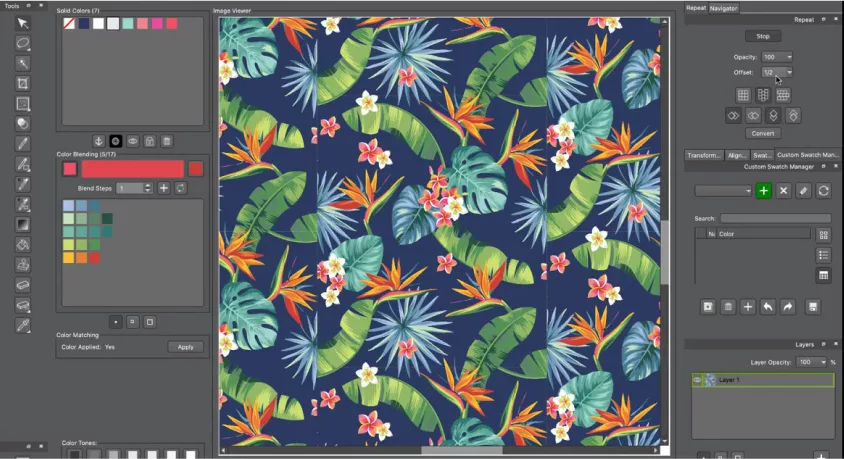
Create raster-based repeats in straight, drop, or shift layouts. Use Design for Photoshop to reduce colors for screen-printing, and engage our speedy cleanup tools to eliminate stray pixels. Work in layers and bring in new motifs from outside files, while in indexed mode! Create colorways and presentation files with exports that automate pitch sheets, swatches, and screen separations.
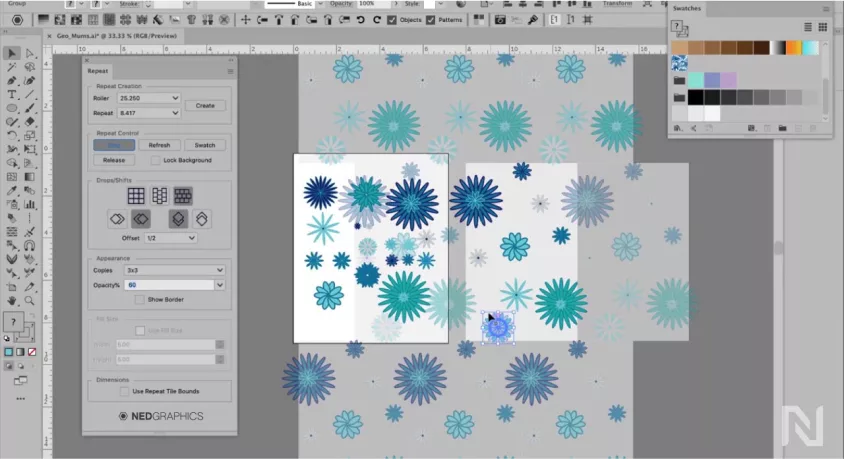
Easily create repeat patterns in Illustrator using straight, drop, shift, and mirror layouts with vector. Live preview lets you see your design as you work, and you can seamlessly switch between Repeat functions and Adobe tools for professional results.
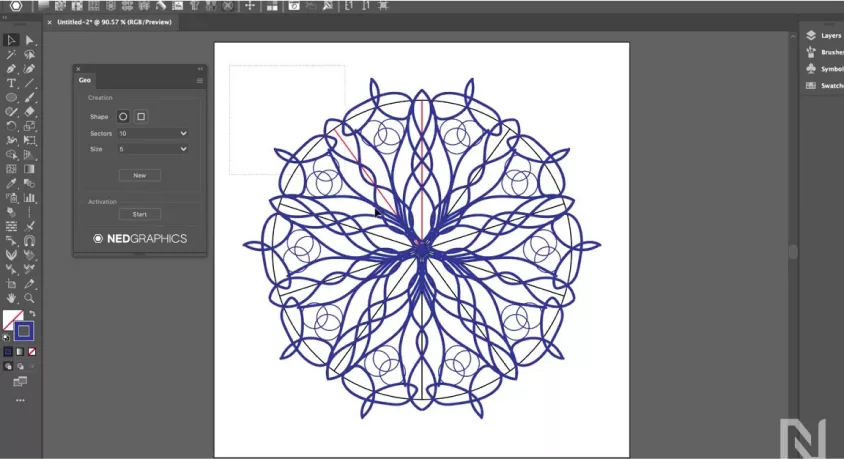
Includes Geo for generating intricate snowflake and geometric motifs, which can be tiled effortlessly. Now, with enhanced repeat options in Illustrator, designers can apply mirror repeats with drops and shifts for greater variation and creative control.
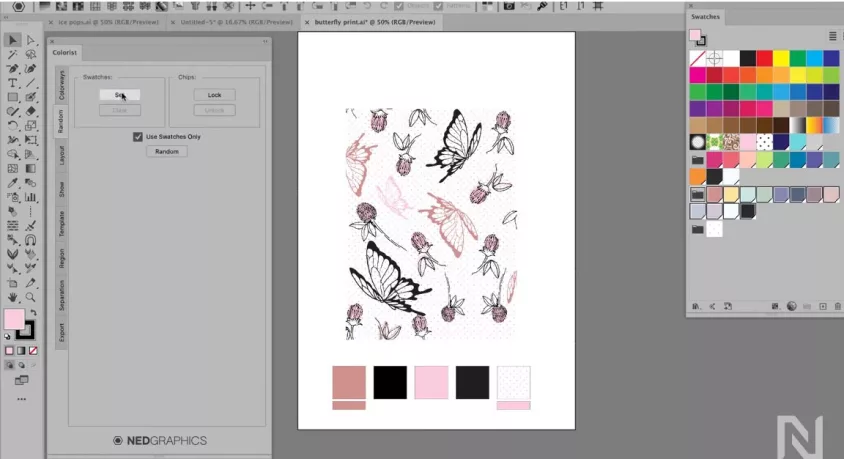
Recolor artwork in Illustrator to create multiple colorways from a single design. Use the random function to swap colors quickly and save the colorways you like. Display versions for presentations or output them directly through the web to print design software workflows.
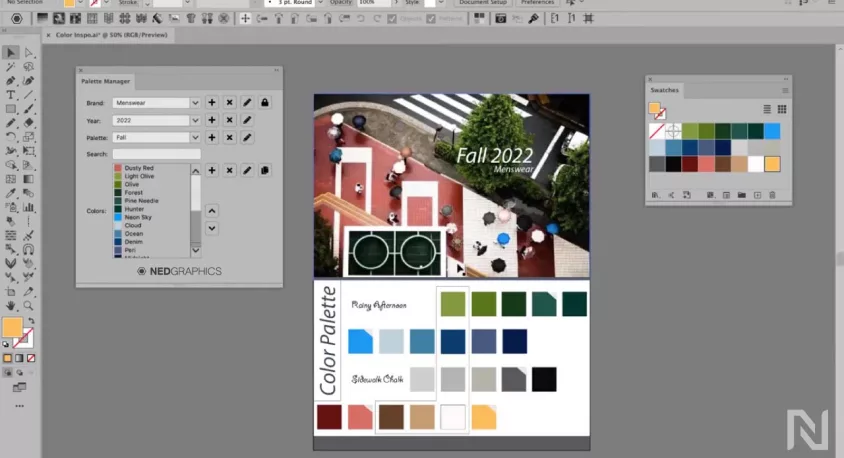
Color Utilities keep colors, patterns, and seasonal palette data organized for design teams. Supporting standard Adobe formats, these color palettes can easily be shared with vendors or brand owners. When a color or palette changes, designers receive updates automatically, in real time, in Adobe Illustrator.
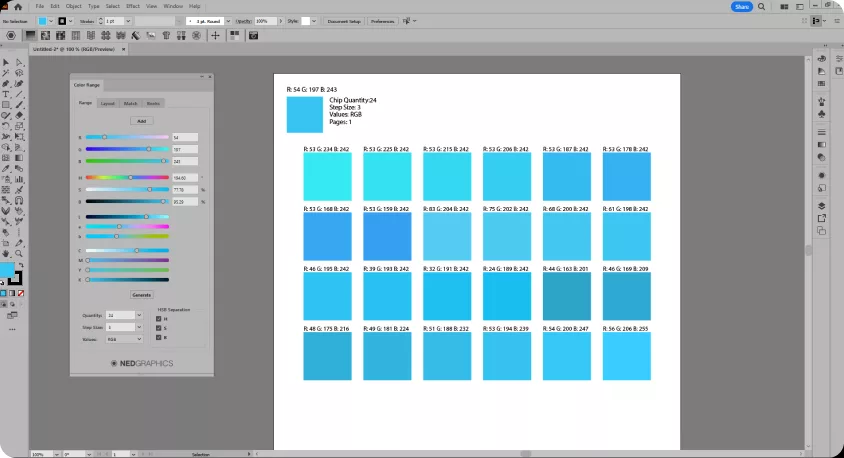
Includes Color Range which helps you match colors to the printed result. From within Adobe Illustrator, users can adjust colors on the fly to accurately match the printer–essential for clothing print design software and apparel design software teams.
Sketch & Fill enables fast, intuitive 2D garment sketching within Adobe Illustrator. Work in symmetry, automatically generate stitch lines, and fill garments with fabrics, patterns, and swatches to create clear production-ready visuals.
Automatic Artwork Scaling Across Sizes
Artwork placed on a base garment size now scales proportionally across the full graded size range. Logos, graphics, and other elements maintain accurate proportions and placement as garments are graded, eliminating manual resizing while ensuring consistent branding and more efficient preparation of production-ready visuals.
3D Design for Illustrator (3DDI) brings Optitex 3D visualization capabilities to NedGraphics users as part of the 2026.1 update. Place textile designs onto realistic garment forms directly from Illustrator to evaluate pattern placement and flow in context.
3DDI introduces an extended 3D asset library focused on fashion garments, allowing designers to visualize how textile patterns are applied across different silhouettes and styles. Designers can move beyond flat artwork and evaluate designs directly on garments, gaining a clearer understanding of how prints scale, align, and behave across the final product.
Validate print placement and repeat behavior, assess colorways and pattern scale, and present designs more effectively to internal teams and stakeholders. 3DDI transforms static artwork into immersive visual experiences, enabling design teams to explore how patterns interact with garment structure and material context before production begins.
Create knit patterns including Fair Isles, intarsia, or custom stitch layouts. Designers can simulate knit structures instantly and recolor them within Illustrator, bridging the gap between fabric design software and production-ready visuals.
Efficiently develop woven patterns from plaids to complex dobby designs. This plug-in integrates 2D design software functionality directly into Illustrator, enabling fast iterations and creative freedom.
We use cookies to enhance your browsing experience, serve personalized ads or content, and analyze our traffic. By clicking "Accept", you consent to our Privacy Policy